Best Skincare Apps for Women Over 50

The short answer
Most skincare apps are not built for your skin. They were designed around oily, acne-prone skin, so the advice runs to stripping and exfoliating, which is the opposite of what thinner, drier skin needs. Very few consider what happens after menopause, and almost none give you an order to follow. Below is what each of the main apps actually does, who it suits, and what it costs, so you can pick the one that matches what you need rather than the one with the loudest ratings.The short answer
- Want a plan to follow? Revu, ours. Paid.
- Want to judge products you own? Yuka or OnSkin. Free.
- Want a read on your face today? Lovi or Glow. Free scan.
- Keep forgetting your routine? Skin Bliss. Free.
How we chose these
We are the makers of one of the apps on this list, so here is exactly how it was put together. Every app below was judged against four questions:
- Is it built for skin over 40? Most are built around acne and oil control, which is a different problem to dryness, thinning and lost firmness.
- Does it give you an order, or just a score? A number tells you where you are. It does not tell you what to do on Tuesday.
- Can you see change over time? Skin moves slowly. Without a record you cannot tell whether anything worked.
- Is it honest about what skincare cannot do? Anything promising to lift structural sagging from a jar is selling something.
Ratings and prices are App Store figures at the time of writing, and they change. We have said plainly where our own app is weaker than the others, because you can check that in two taps and there is no point pretending otherwise.
SKINCARE APPS COMPARED
What each one actually does
| What it does | Price | |
|---|---|---|
| Revu | Builds a 90-day plan from one photo | Paid, no free tier |
| Lovi | Scores your face, general audience | Free scan, paid after |
| Glow | Scores your face, general audience | Free scan, paid after |
| OnSkin | Scans product ingredients | Free, paid tier |
| Yuka | Scans product ingredients | Free, paid tier |
| Skin Bliss | Tracks a routine you already have | Free, paid tier |
Prices and tiers change. Check the App Store before you buy anything.
1. Revu, for a plan rather than a score
This is ours, so weigh it accordingly. Revu takes one photo and builds a 90-day program: what to do first, what to add in week three, and what to leave until your skin can take it. It works zone by zone, so the neck and the eye area get their own place in the order rather than a single blanket routine.
Best for: someone who knows roughly what the ingredients are and is tired of guessing what order to use them in.
Where it is weaker: it is new, so there are very few ratings yet, and there is no free tier. If you want to try something at no cost before deciding, start further down this list.
2. Lovi and Glow, for a read on your face
Both scan a selfie and return scores across hydration, texture, spots and lines. Lovi carries around 3,700 ratings, Glow around 2,200, and both offer a free scan with a paid tier behind it.
They are genuinely useful for a snapshot. The limitation is that they are built for a general audience rather than for skin after menopause, and a score is a diagnosis rather than a plan. You will know your hydration reads low. What to do about it on a Tuesday morning is left to you.
Best for: curiosity, and a baseline you can repeat in a few months.
3. OnSkin and Yuka, for reading labels
These two do something different: you scan a product barcode and they judge the formula. Yuka is the larger of the two by a distance, with more than 97,000 ratings, and OnSkin has over 33,000.
Neither one looks at your face. They answer "is this product any good", not "what should I be doing". That is a real question worth answering, particularly if you have a shelf full of things you are not sure about, and both are free to use for scanning.
Best for: deciding whether to keep or bin what you already own.
4. Skin Bliss, for keeping to a routine
A tracker rather than an adviser. If you already know your routine and simply want reminders and a record, it does that job without much fuss.
Best for: someone with a routine that works who keeps forgetting the evening half of it.
The thing to watch for before you subscribe
Reading the recent App Store reviews for every app on this list, the same complaint comes up again and again, and it has nothing to do with skincare. It is about billing.
Across the five apps we looked at, between a fifth and nearly half of the most recent reviews were one or two stars, and the recurring theme is people who felt pushed into a subscription before they understood what they were buying, or who then struggled to cancel. One reviewer of a face-scanning app put it plainly: Tricked into buying "app" - want to cancel.
A reviewer of an ingredient scanner wrote that it forces you to subscribe from the start
.
This is worth knowing whichever app you choose, ours included. Three habits protect you:
- Check the price before the scan, not after. Several of these apps run you through a long questionnaire and only then show a price, at the moment you feel invested.
- Know where the cancel button is. It is in your iPhone settings under your Apple Account, then Subscriptions. Not inside the app.
- Watch for the free trial that renews. If a trial converts automatically, set yourself a reminder a day before it ends.
For the sake of being straight with you: Revu is paid, with no free tier and no trial, so you decide before you see anything. That is a real disadvantage against the free options above, and it is the honest trade for not being funded by upsells.
Which one should you pick?
It depends on the question you actually have.
- "Is this product worth keeping?" A scanner. Yuka or OnSkin, both free.
- "What does my skin look like right now?" A face scanner. Lovi or Glow.
- "What should I actually do, and in what order?" A program. That is what we built Revu for.
- "How do I stop forgetting?" A tracker. Skin Bliss.
The bottom line
There is no single best skincare app for women over 50, because these apps do four different jobs and only one of them is likely to be yours. The mistake is downloading a scanner when what you actually wanted was a plan, deciding the category does not work, and going back to guessing.
Work out the question first. Then pick the app that answers it, and check the price before you scan anything.
One thing worth saying about all of them, ours included: no app diagnoses skin conditions, and none of them replace a dermatologist. If something is changing quickly, bleeding, or not healing, that is a conversation with a doctor rather than a phone.
If you are starting from scratch, our guides to what menopause does to your skin and how to start retinol at 50 cover the groundwork before any app is involved.
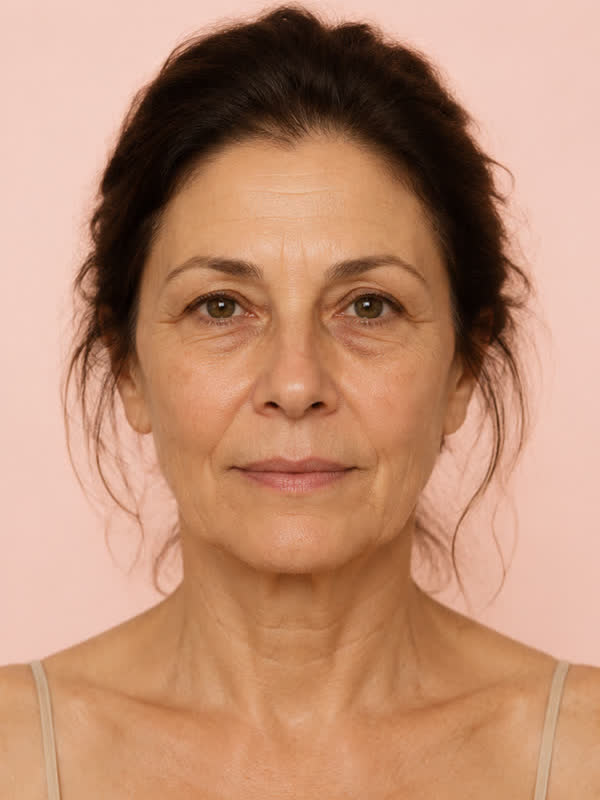 TODAY
TODAY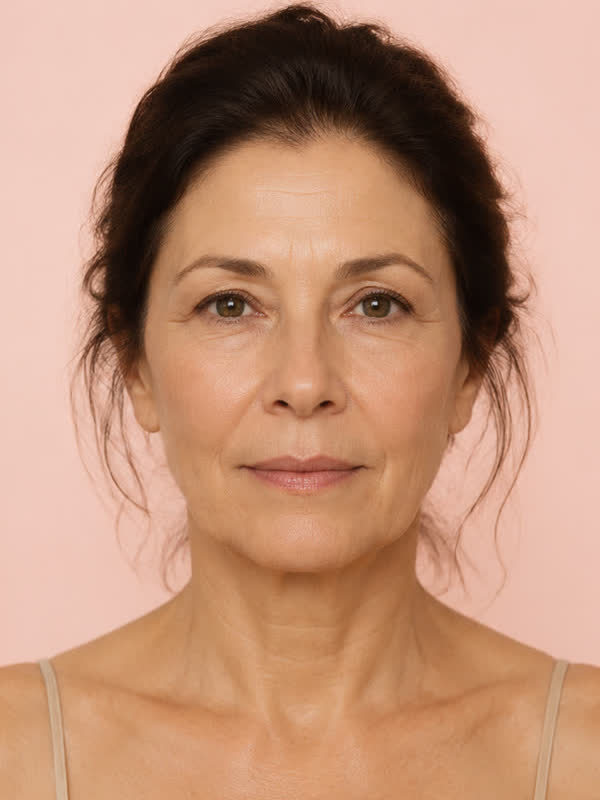 ATTAINABLE
The next step
Get Your Personalized Skincare Program
Revu starts with one photo. You get a program built for your face, not a generic routine: a realistic picture of what your skin can be, and a daily plan made just for you, one area at a time.
Download on theApp StoreFor iPhone · Made for women 40+
Frequently asked questions
What is the best skincare app for women over 50?
It depends what you want from it. For a plan you follow, an app that builds a program from your own photo suits best. For judging products you already own, an ingredient scanner like Yuka or OnSkin. For a snapshot of your skin, a face scanner like Lovi or Glow. Most skincare apps are built around acne and a younger user, which is a different problem to dryness and lost firmness.
Are skincare apps accurate?
They vary, and none of them diagnose. Face scanners read surface features from a photograph, which is reasonable for texture, tone and hydration and unreliable for anything below the surface. Treat the numbers as a starting point rather than a medical reading.
Are there free skincare apps?
Yes. Yuka and OnSkin are free for scanning products, and most face scanners offer a free first scan with a paid tier behind it. Revu, ours, is paid with no free tier.
Can an app tell my skin age?
Several will give you a number. It is an estimate from a photograph, sensitive to lighting and angle, and it moves for reasons that have nothing to do with your skin. It is useful as a repeated measure over months, not as a verdict on a given morning.
Do skincare apps work for mature skin?
The scanners work on any skin. The question is whether the advice that follows fits: routines built for oily twenty-year-old skin often make thinner, drier skin worse. Look for something that starts with the barrier rather than with exfoliation.
Why do skincare apps have so many one-star reviews?
Look through the recent reviews of almost any of them and the low ratings cluster on billing rather than skincare: people who felt pushed into a subscription during onboarding, or who could not find how to cancel. Cancellation lives in your iPhone settings under your Apple Account and Subscriptions, not inside the app itself.
Is a skincare app better than seeing a dermatologist?
No, and no honest app claims otherwise. An app helps with routine, order and consistency. A dermatologist diagnoses, prescribes and treats. If something is changing quickly or not healing, see a doctor.